Should You Remove the Hard Drive Before Recycling a Computer?
No, you do not have to remove the hard drive before recycling a computer in Metro Vancouver. What happens to the drive, and when to keep it.
By WinniePublished
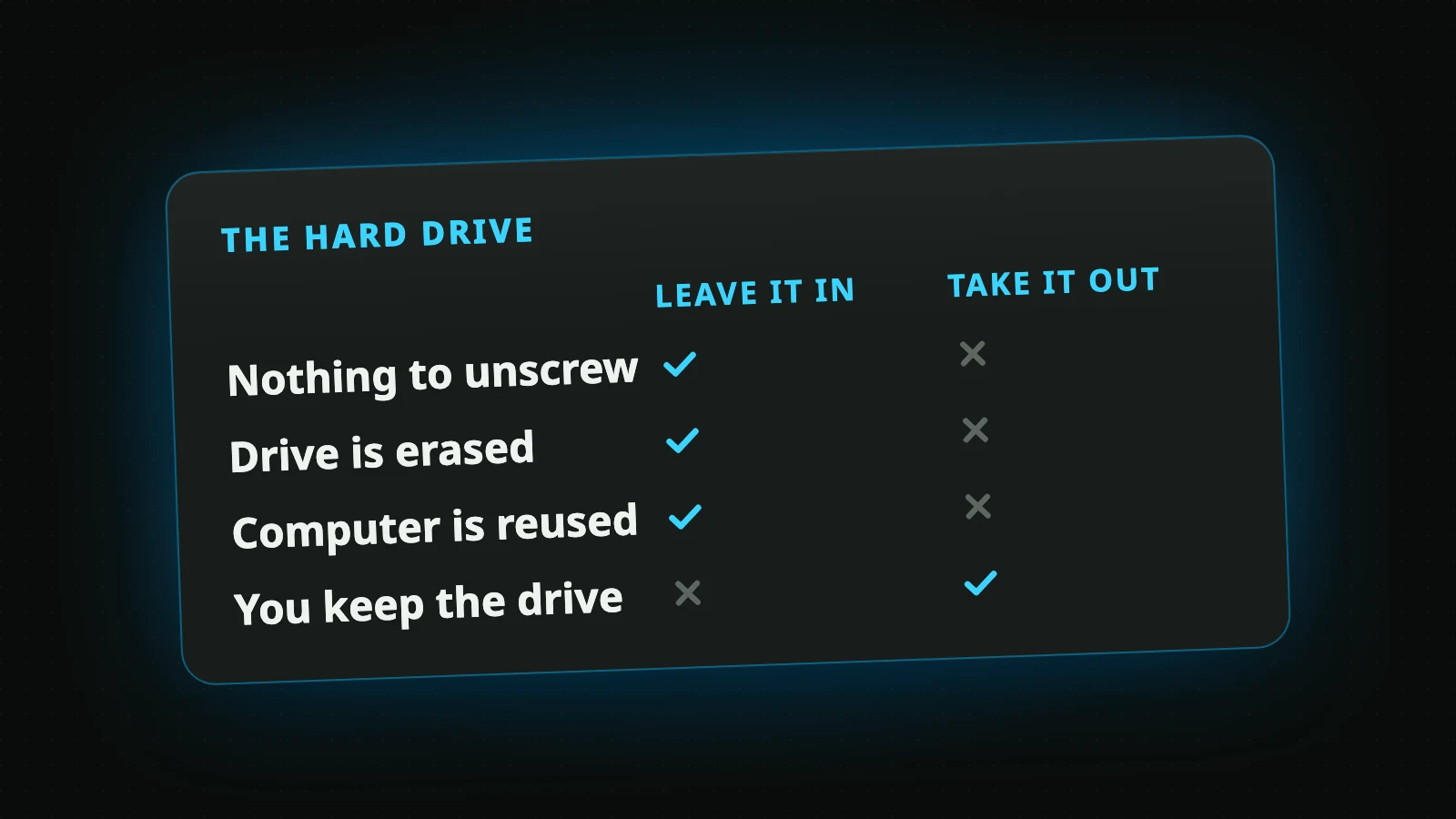
No. If the recycler erases every drive it collects, as we do, you can leave the hard drive where it is. Taking it out costs you an evening with a screwdriver and leaves you holding a drive that still has everything on it.
The advice to remove it is not wrong everywhere, though. It depends on who is taking the computer.
Why people remove the hard drive
Most electronics recycling works by drop-off. You carry the computer to a depot and leave it there, and the program tells you that whatever is on the device is your responsibility. If nobody downstream promises to erase the drive, keeping it out of the bin is a sensible thing to do.
That is where the advice comes from, and for a drop-off it still holds. It stops holding when erasing the drive is part of the service.
What removing the drive leaves you with
A drive in a drawer is not a solved problem. It holds every photo, tax return and saved password it held the day you unplugged it, and it will go on holding them for years. Sooner or later it needs to be erased or destroyed, and now that job is yours.
Doing it at home is harder than it looks. A hammer or a drill damages a drive, but it gives you no assurance about what is still readable on the parts that survive, and the memory chips in a solid-state drive are small enough to miss altogether.
Two more things are worth knowing before you reach for the screwdriver:
- Many newer laptops have no drive to remove. The storage is soldered to the main board, so it leaves with the computer or not at all.
- A computer without its drive is harder to reuse. One that still works could have had a second owner; without storage, someone has to buy and fit a new drive first.
What happens when you leave the drive in
When we collect a computer, its storage is erased before anything else is decided about it. Nothing is tested, refurbished or taken apart with your files still on it. The erasing is a software wipe, it is the default on the booking form, and it costs nothing.
Two options sit on top of that:
- Physical destruction. If the drive held records you want gone beyond any doubt, ask for it to be destroyed. This is the one thing we charge for, and we confirm the price with you before the pickup.
- A certificate. Ask for one when you book, at no charge. Within 10 business days of the pickup we email a certificate that lists each drive by its serial number and says whether it was wiped or destroyed.
How a wipe compares with destruction, and which suits which kind of drive, is on the data destruction page.
When taking the drive out makes sense
There are good reasons to keep a drive. None of them is fear of the recycler.
- You want what is on it. Copying the files to another device is easier, but keeping the drive works.
- You want to use it again, as a backup drive in an external case.
- Your employer or a client requires it. Some policies say a drive never leaves the organization's hands.
If you have taken the drive out, choose "None needed" for data on the booking form. The computer is still collected. If you later want the loose drive gone as well, we take those too: it is on the list of what we accept.
Is it safe to recycle a computer with the drive in it?
It is as safe as the answers to three questions, and they are worth asking of anyone who takes your computer:
- Who erases the drive? The recycler, or you?
- When? Before the computer is resold or taken apart, or at some point after?
- Is there anything in writing? A certificate that names the drive is better than a promise.
Our answers are above: we do, first, and yes. A drop-off program's answer to the first question is usually "you", which is why the advice to pull the drive exists.
Then book
In Metro Vancouver, a home pickup starts at one desktop or laptop, and the pickup is free. Leave the drive in, sign out of your accounts, and book a pickup. The few things worth doing first are in what to do before recycling a computer.
Book a Free Pickup
Old computers and electronics collected from your door in Metro Vancouver. The data is wiped at no charge.
Book a Pickup